Getting Started with Web Development: A Practical Beginner's Guide
Getting started in web development can feel overwhelming, but the path becomes clear when you understand the core skills, tools, and habits involved. By learning the basics step by step, beginners can build useful websites, improve problem solving, and create a strong foundation for future projects.
Understand the Core Building Blocks of the Web
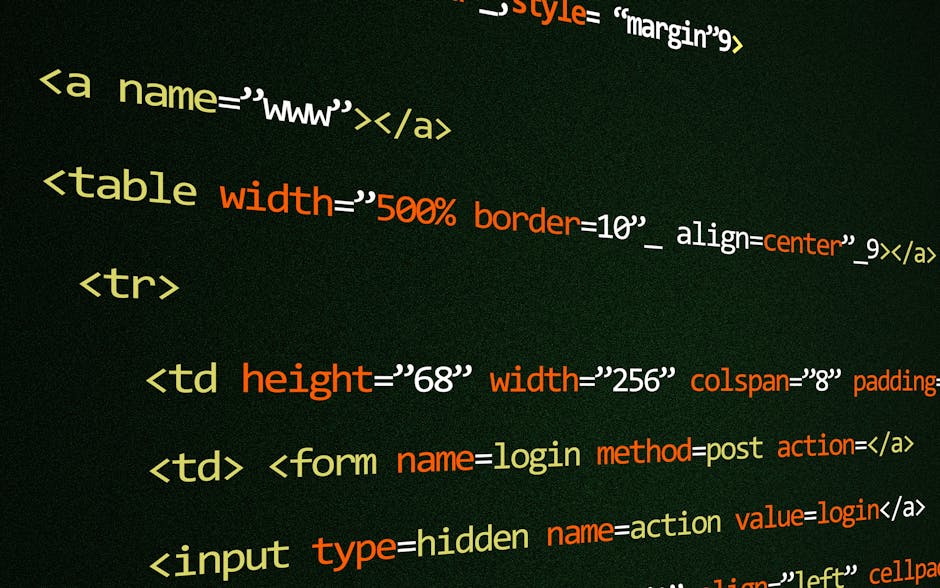
Every web development journey begins with understanding how websites work in the browser. HTML provides the structure of a page, defining headings, paragraphs, images, links, forms, and content sections. CSS controls the appearance, including colors, spacing, typography, layouts, and responsive behavior. JavaScript adds interactivity, helping pages respond to clicks, form input, animations, and data changes. When beginners learn these three technologies together, they gain a clear picture of how modern websites are created.
HTML is often the easiest entry point because it focuses on organizing content in a meaningful way. A beginner can quickly create a page with a title, navigation, article sections, and buttons. Learning semantic HTML is especially important because it improves accessibility, search visibility, and long-term maintainability. Tags like header, main, section, article, and footer help both users and search engines understand the purpose of content. Strong HTML habits make every later stage of web development easier and more reliable. CSS can feel more complex at first because small changes may affect layout in unexpected ways. However, learning concepts like the box model, flexbox, grid, and media queries gives beginners real control over design. A good approach is to recreate simple layouts from websites, landing pages, or mobile screens. This practice teaches spacing, alignment, visual hierarchy, and responsive thinking. Over time, CSS becomes less about guessing and more about making intentional design decisions.
Choose Beginner-Friendly Tools and Set Up a Workflow
The right tools help beginners focus on learning instead of fighting their environment. A code editor such as Visual Studio Code provides helpful features like syntax highlighting, extensions, formatting, and integrated terminals. A modern browser with developer tools lets learners inspect elements, test styles, debug JavaScript, and understand page behavior. Beginners should also create a simple folder structure for each project so files stay organized. A clean workflow builds confidence and prevents confusion as projects grow.
Version control is another important tool to learn early, especially Git. Git allows developers to track changes, return to earlier versions, and experiment without losing progress. Platforms like GitHub make it easier to store projects online and share work with others. Even a beginner can start with basic commands such as init, add, commit, and push. Learning version control early creates professional habits and prepares developers for collaboration. A productive workflow also includes testing changes frequently in the browser. Instead of writing hundreds of lines before checking the result, beginners should build in small steps and refresh often. This makes errors easier to find and helps connect code changes with visual results. Using browser developer tools to adjust styles live is a powerful way to learn quickly. The best workflow is simple, repeatable, and focused on steady progress.
Build Small Projects to Practice Real Skills
Projects turn theory into practical skill, which is why beginners should start building as soon as possible. A personal homepage, simple portfolio, landing page, recipe page, or contact form can teach valuable fundamentals. These projects require structure, styling, links, images, spacing, and sometimes basic interactivity. Small projects are less intimidating and allow learners to finish something complete. Completing projects also creates motivation because progress becomes visible.
The best beginner projects solve simple problems while introducing one or two new ideas at a time. For example, a to-do list can teach JavaScript events, arrays, and DOM updates. A responsive landing page can teach layout, media queries, and mobile-first design. A form validation project can teach user input, error messages, and basic accessibility. By focusing each project around clear learning goals, beginners avoid becoming overwhelmed. After finishing a project, reviewing and improving it is just as important as building it. Beginners should look for repeated code, unclear class names, inconsistent spacing, and accessibility issues. They can also test how the page looks on different screen sizes and browsers. Improving a project teaches refactoring, attention to detail, and quality control. This habit helps new developers move from simply making things work to making them work well.

Develop Learning Habits That Support Long-Term Growth
Web development changes often, so beginners need learning habits that last beyond the first tutorial. Consistency is more effective than occasional long study sessions because coding improves through repetition. Practicing for a short period each day helps concepts stay fresh and reduces frustration. Keeping notes, saving useful snippets, and writing down mistakes can make learning more organized. Over time, these small habits compound into real technical confidence.
Beginners should also learn how to search for answers effectively. Professional developers use documentation, forums, examples, and debugging tools every day. Knowing how to describe an error, read an error message, and test possible solutions is a major skill. Official documentation is often the most accurate source, while community examples can show practical patterns. Learning how to learn is one of the most valuable parts of getting started. Community can make the learning process easier and more enjoyable. Joining developer groups, sharing projects, asking for feedback, and reading other people's code exposes beginners to new ideas. Feedback helps identify blind spots that are hard to notice alone. Seeing others learn also reduces the pressure to be perfect from the start. Web development is a long journey, and support from others can keep beginners motivated.
Services That Help Beginners Start Web Development Successfully
A clear website plan helps beginners and businesses avoid wasted time during development. Planning defines the purpose of the site, target audience, page structure, content needs, and desired user actions. This service can turn a vague idea into a practical roadmap with priorities and milestones. It also helps identify which features are essential now and which can be added later. With a strategy in place, web development becomes more organized, focused, and effective.

Custom Website Planning and Strategy
A clear website plan helps beginners and businesses avoid wasted time during development. Planning defines the purpose of the site, target audience, page structure, content needs, and desired user actions. This service can turn a vague idea into a practical roadmap with priorities and milestones. It also helps identify which features are essential now and which can be added later. With a strategy in place, web development becomes more organized, focused, and effective.
Responsive Web Design and Front-End Development
Responsive design ensures a website works well on phones, tablets, laptops, and large screens. A front-end development service can create clean layouts, readable typography, intuitive navigation, and accessible user experiences. This is especially helpful for beginners who understand the basics but need professional polish. Well-built front-end code also improves performance and makes future updates easier. A responsive, user-friendly site builds trust and keeps visitors engaged.


Ongoing Development Support and Maintenance
Websites need regular support after launch to stay secure, accurate, and functional. Maintenance services can handle updates, bug fixes, performance improvements, backups, and content changes. For beginners, ongoing support provides guidance while they continue learning and building confidence. It also prevents small issues from becoming larger technical problems. Reliable support gives website owners peace of mind and helps projects keep improving over time.
Do not settle for an ordinary development team. FYC raises the standard, and our satisfied clients show why.
Ready to build?
Talk with FYC Labs about your product, platform, or marketing site.
Contact us